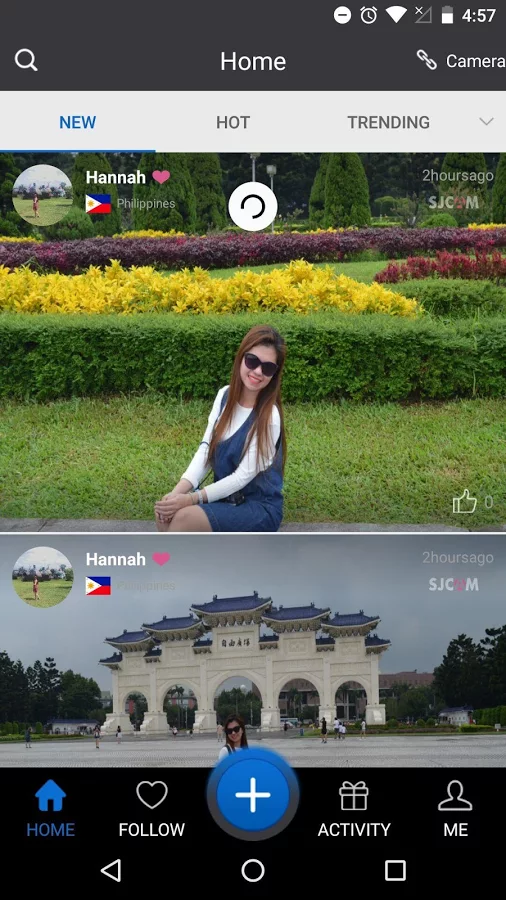
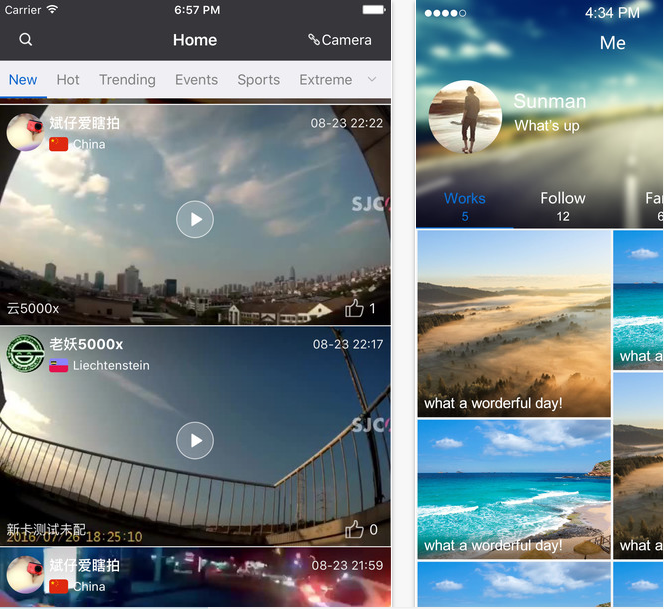
SJCAM Zone App V4.2 supports Facebook, Instagram Twitter Posting & Editing

sjcam-zone-02 The new SJCAM Zone app was released last month. Unlike the previous SJCAM Zone Apps, all you need is one app to control all of your SJCAMs. This means Amabarella chipset models SJ5000+, SJ7 Star are also compatible. The new SJCAM Zone supports third-party platform login. Seamlessly log in and post to: Facebook, Twitter, Google+, Instagram, Wechat, etc. Share with your friends and fans seamlessly. Upload your photos and videos to the SJCAM Zone social platform and share with other SJCAM users and fans. SJCAM Zone also has secondary editing tools. Add filter effects or background music and make other edits. SJCAM Zone Features 1. Compatible with all SJCAM models, including SJ5000 +, SJ7 2. Support third-party platform login, such as Facebook, Twitter, Google +, Ins. Wechat and so on 3. Support upload to share shooting, take pictures of the works to SJCAM Zone social function 4. Upload shared video and pictures, support secondary editing, such as adding filter effects, background music and so on. 5. Shoot, take pictures of works can be shared to other social platforms, such as Facebook, Twitter, Google +, Ins, wechat, wechat moments, etc. SJCAM Zone App will be updated regularly and will have many new features added in 2017 so stay tuned! Download SJCAM Zone for IOS Download SJCAM Zone for Android sjcam-zone [gallery ids="403,404,405,406,407,408,409,411,412,413,414,415,416,417" type="rectangular"]  
Comments

Popular posts from this blog

SJCAM SJ7 Star v1.21 Firmware with RAW A12 Ambarella Support!

Hello SJ7 Star Native 4k Action Camera owners, V1.21 second version (r2) is here! In addition to adding RAW, it will also fix some other issues. V1.21 A12 Changelog (Jan 30): 1. Adds RAW function 2. Fixed LCD returning from sleep issue. 3. Fixed 720p 120/240fps screen aspect-ratio problems 4. Update SJCAM shutdown LOGO 5. Optimized loop mode to remove no-sound issue in last 2 frames 6. Optimize video refresh function 7. Fixed the issue of going into failed timelapse when powering on from Quick Record.     8. Optimize the long exposure On camera interface to switch to normal video and then switch back to regular camera pictures, fixes black screen problem 9. Optimize the screensaver mode when disconnecting the charger, fixes black white-screen problem V1.21r2 fw download Jan 30 edition. Let us know if you have any bug reports or questions! PG Team

SJCAM SJ360 v1.4 firmware (Beta) + New SJ360 Converter Tool

Hello SJ360 Users, We have a new v1.4 firmware that is required to upgrade to in order to use the new SJCAM Pano app. SJ360 V1.4  For downloading SJ360 PC software converter, please click here: SJCAM Converter Tool Please send any feedback you may have to tony@SJCAMHD.com If you have not purchased the SJ360 yet, it is now on sale: SJ360 Sale Thanks SJCAM Team

Supercharge your car’s infotainment system with Android Auto CarDongle Mini PC USB computer

Supercharge your car’s infotainment system with CarDongle : Android Auto is a pretty awesome piece of technology, as it makes it easy to still access your most-used features while in the car. Being able to pull up directions, control your music or podcasts, and of course respond to incoming messages or phone calls. https://www.youtube.com/watch?v=Hqjhp2dvuec&amp&ab_channel=CarDongle But there are still a few limitations to what Android Auto can truly provide, and that's where CarDongle comes in. This little dongle connects to your car via the USB-A port and provides a fully-functional Android operating system in a small and compact form-factor. Instead of having to rely on Google's limiting Android Auto interface, or deal with apps that may not be fully-compatible, you can avoid all of that with CarDongle. Since this is essentially Android, there are a few things that the CarDongle needs in order to provide all of the power that you would want. 2.0GHz A53 Processor Up t...